




You May be Worried...
Avg. 237 Notifications
or more were received on smartphones by teens a day.
Up to 759 Notifications
of social media arriving during school hours.
29% of Teens
are woken at night by notifications.
*Statistics from Common Sense Report
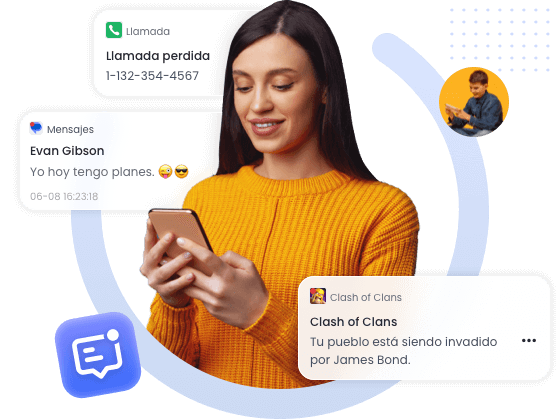
Stay Updated with Child's Online Activities
Understanding Your Child's Online Social Interaction
By synchronizing notifications from popular messaging and social media platforms on your child's phone, such as Snapchat, Instagram, WhatsApp, and Messenger, you can gain insights into who they interact with, the frequency of their interactions, the types of content they share, and their social relationships. This can help you promptly identify potential social issues or cyberbullying.
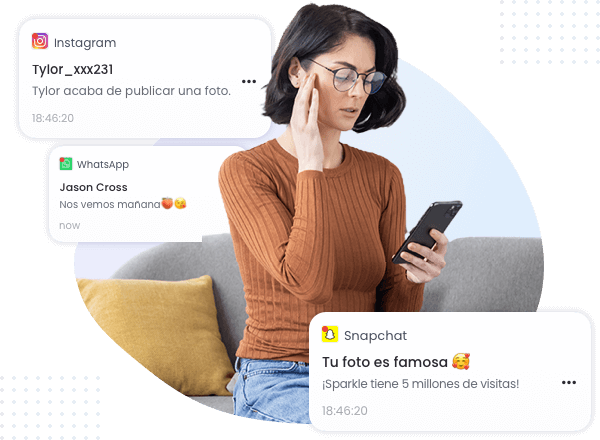
Identifying Potential Digital Addiction Risks in Real-Time
By synchronizing notifications from entertainment and gaming apps on your child's phone, such as YouTube, Roblox, and Fortnite, including video updates, game activity invites, and daily reward reminders, you can monitor if your child is overusing these apps. This helps you take measures to limit their usage time and prevent addiction.
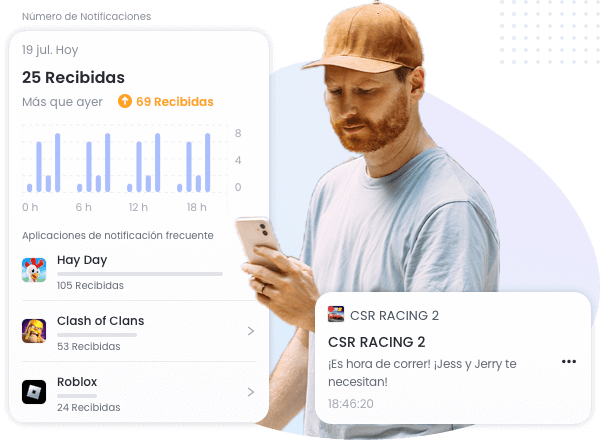
Monitoring Your Child's Learning Progress and Supervise
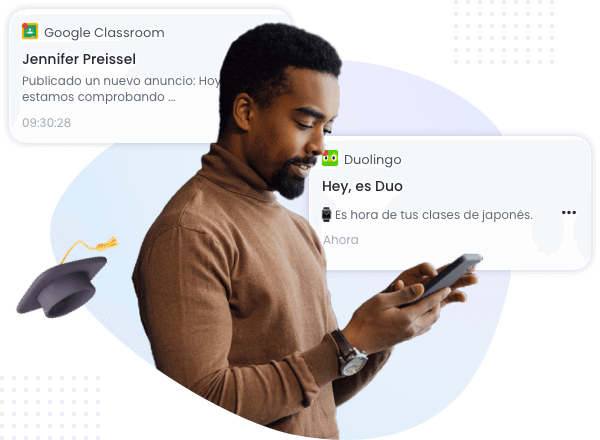
By synchronizing notifications from educational apps frequently used by your child, such as Khan Academy, Duolingo, and Google Classroom, you can track their learning progress, receive course reminders, and monitor assignment submissions. This helps you supervise your child's studies and ensure the efficiency of their online learning.
Why Sync Kids' Phone Notifications is Useful
Why Sync Kids' Phone Notifications is Useful


Pay more attention to children
Monitoring notifications allow parents to gain a deeper understanding of their children’s social media usage habits and system changes, understand their children’s preferences, and social interactions. Build intimacy remotely and increase communication and affection between parents and children.

Reduced risk potential
Children can be very private when it comes to cyberbullying or problematic incidents with friends, and monitoring notifications allow parents to make timely judgments and intervene in incidents such as bullying, sexting, phishing emails or anomalies.

Optimize learning-entertainment balance
Monitoring notifications can help parents observe their children's behavioral patterns, so that they can provide guidance and support more effectively, guiding their children to better manage notifications and surf the Internet safely, reduce the passive influence of electronic devices, and improve their concentration on learning.
You’re Just 3 Steps Away!
-

下载安装
家长在手机上下载 AirDroid Parental Control 。
-
注册登录
家长端注册 AirDroid 账户并登录。
-
绑定设备
孩子端安装 AirDroid Kids ,与家长端进行绑定。
家长反馈
随着对 AirDroid Parental Control 的探索,总能发现它的新功能和用途。它不仅可以监控孩子们的手机使用情况,也能成为保护孩子的有用工具。在使用过程中我了解到孩子们的兴趣,促进与孩子之间的亲子关系。


AirDroid Parental Control 可以帮家长节省不少时间和精力。家长可以设置手机使用时间限制,不必费力地检查他们是否正在学习或使用手机,当限制时间到了,手机就会被锁定,孩子就不能继续使用手机。
之前,我儿子每天放学都沉迷手机游戏。一次偶然的机会,我发现了 AirDroid Parental Control,我就用它限制了在放学后可以玩游戏的时间。现在使用规定时间结束后他便放下手机去做其他事情。
AirDroid Parental Control 是迄今为止我用过功能全面的应用程序。提供了我所需要的全部功能,不仅让我全面掌握孩子使用手机的具体情况,还能让我深入了解他的兴趣所在。
软件使用体验非常好。使用 AirDroid Parental Control 后,无论我身处哪里,都可以轻松查看孩子的活动轨迹,时刻了解孩子的动向。而且这款应用程序使用起来很灵活,简单操作后就可以精准定位。
哇!我真的很高兴我找到了这款应用程序。我之前一直在寻找了解我儿子平常用手机都在做什么,而 AirDroid Parental Control 让我这个需求变得简单又轻松,真棒!
我最喜欢 AirDroid Parental Control 的地理围栏功能。当我儿子进入我标记的禁止区域时,它就会立即提醒我。
不用精通手机技术,就能轻松操作这款软件。AirDroid Parental Control 的使用非常简单。不需要复杂的设置,只需要简单的操作即可完成,不用担心不会使用。
之前一直都担心孩子在网络上会浏览到不良信息,直到我遇到了 AirDroid Parental Control,这款应用可以监控手机安装应用和浏览器上的不良信息,并对内容进行阻止。